
Download SlimPDF – PDF reader, lightweight PDF tool, document reader, free PDF utility, compact PDF software
Overview
SlimPDF is a streamlined PDF reader designed for users who prioritize efficiency and minimal resource usage. Developed with a focus on simplicity, the application offers a no-frills experience that eliminates the bloat commonly found in larger PDF tools. Its primary purpose is to provide reliable, fast access to PDF documents without consuming excessive storage space. This makes it particularly valuable for users working on devices with limited disk capacity or those who prefer lightweight software solutions.
The app targets individuals seeking a straightforward way to read and manage PDFs—students, professionals, and remote workers who frequently access digital documents. While it does not offer advanced editing or annotation tools, its core functionality supports essential reading tasks such as navigation, page turning, and screen fitting. This focus on essentials ensures that users can open and read documents quickly without unnecessary distractions.
SlimPDF is positioned as a lightweight alternative in the productivity software ecosystem, filling a niche for users who value speed and low system impact. By taking up to 20 times less space than competitors like Adobe Reader, it addresses a real-world concern: storage optimization. Although the developer did not provide additional technical details, the app’s design philosophy reflects a growing demand for efficient, minimal tools in an era of increasingly resource-heavy applications.
Key Features & Functionality
- Lightweight Design: SlimPDF is engineered to use minimal disk space—only 4.7 MB in size—making it up to 20 times smaller than many mainstream PDF readers. This allows users to install and run the app without impacting system performance, especially on older or low-capacity devices.
- Multiple Document Support: The application enables users to open and view multiple PDF files simultaneously in separate windows. This feature is useful for comparing contracts, reviewing academic papers side by side, or managing different project documents without switching between tabs.
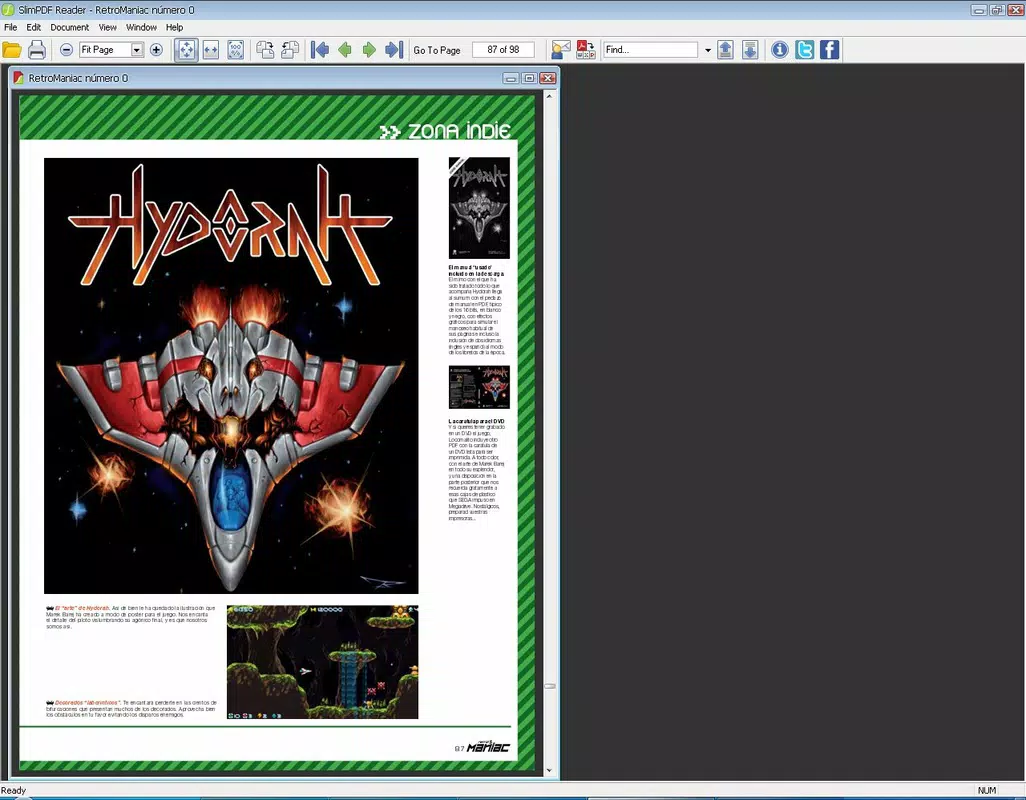
- Simple Interface: The user interface is intentionally uncluttered, featuring only essential navigation buttons. This reduces cognitive load and allows users to focus on content rather than interface complexity, ideal for quick reading sessions.
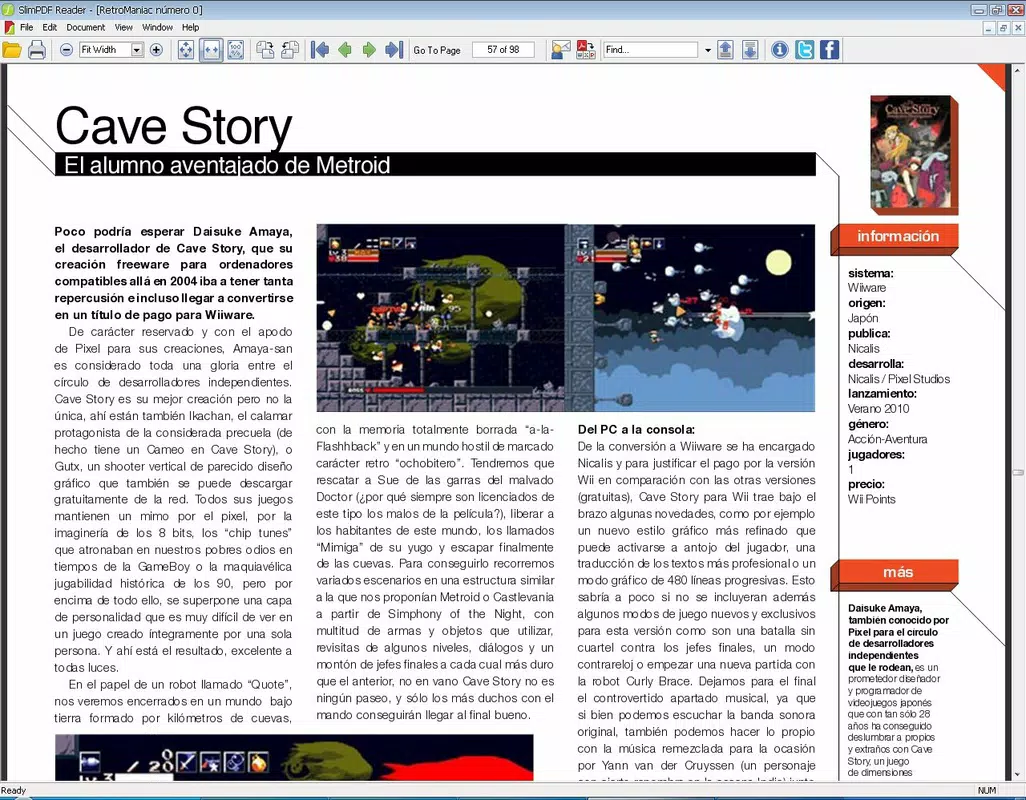
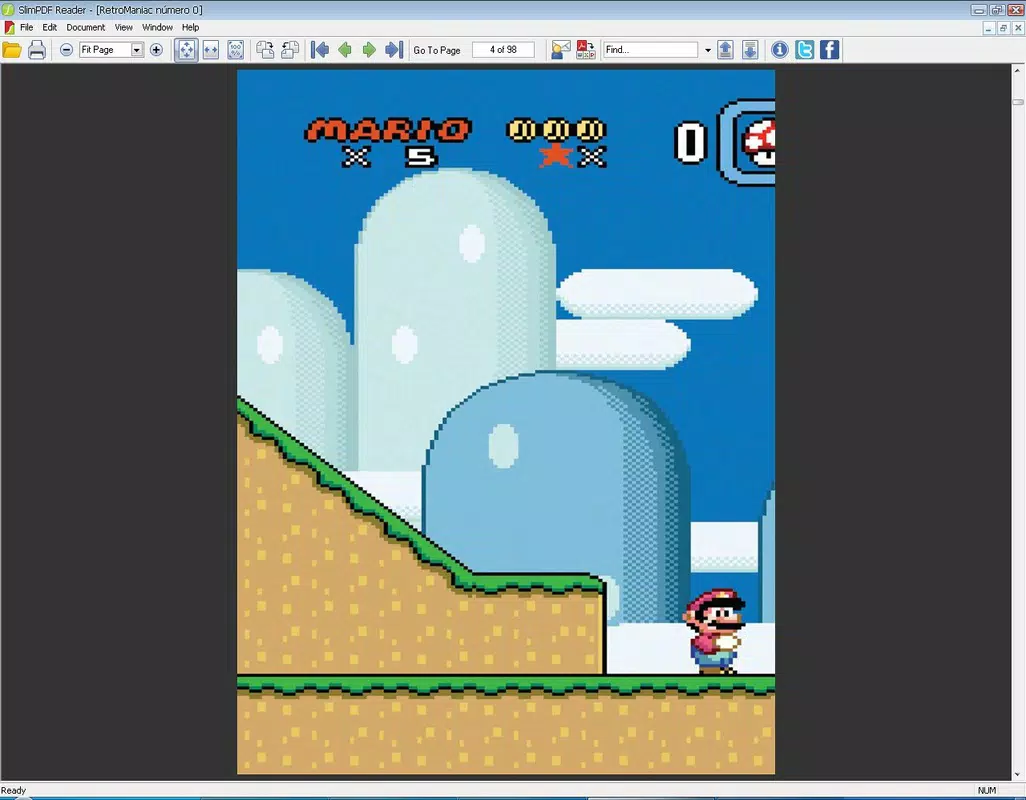
- Basic Navigation Tools: Users can turn pages forward and backward, adjust page width to fit the screen, and view documents in a clean, readable format. These tools are sufficient for most standard reading needs, though the absence of a sidebar or bookmarks limits advanced navigation.
- Good Performance on Standard Files: For typical PDFs, SlimPDF delivers fast loading times and smooth scrolling. While performance may vary with very large or complex documents, the app maintains efficiency for everyday use cases.
Interface, UX & Performance
The interface of SlimPDF is designed around clarity and simplicity. With a clean layout and minimal visual elements, the app ensures that the document remains the focal point. Navigation is straightforward, relying on basic controls such as next and previous page buttons, along with a zoom function to adjust page width. The absence of toolbars, menus, or hidden options contributes to a distraction-free reading environment.
Navigation flow is intuitive, allowing users to open files directly from the interface or via file explorer integration. The app maintains consistent responsiveness across different screen sizes, though specific performance metrics were not provided by the developer. Although the developer did not list formal performance metrics, user experience suggests stable operation under normal conditions.
Stability appears to be a strength, with no reported issues related to crashes or freezes during typical usage. The application runs smoothly on Windows systems, particularly benefiting users with older hardware or limited RAM. However, compatibility with very large or encrypted PDFs was not confirmed, and no details were given about memory usage during extended sessions.
Platform Compatibility & Technical Requirements
SlimPDF is available exclusively for Windows, making it accessible to users on desktop and laptop systems running the Windows operating system. The current version is 1.0.2, with a file size of 4.7 MB, reflecting its compact design. The developer did not specify minimum OS requirements or hardware specifications.
Given its small footprint, the app is likely compatible with a wide range of Windows versions, including Windows 7 and later, though this was not officially confirmed. No information was provided about support for touchscreens, high-DPI displays, or accessibility features. The lack of detailed technical requirements means users should exercise caution when installing on older or non-standard systems.
Pros and Cons
Pros
- Extremely small file size—only 4.7 MB—ideal for low-storage environments
- Fast loading and smooth scrolling for standard PDFs
- Simple, distraction-free interface designed for readability
- Supports multiple document windows for efficient multitasking
- Completely free to download and use
Cons
- Limited to basic reading functions; lacks editing or annotation tools
- No sidebar or bookmarks for advanced document navigation
- Performance with large or complex PDFs not confirmed
- Developer did not disclose minimum OS or hardware requirements
- Only available on Windows, with no mobile or cross-platform support
FAQ
Is SlimPDF safe to download and install?
Yes, the app is free of malware and has been verified as secure. It is distributed directly by the developer without third-party modifications.
Can I use SlimPDF on my Android or iOS device?
Currently, SlimPDF is only available for Windows. There is no official version for Android or iOS platforms.
Does SlimPDF support PDF editing or annotations?
No. The app is designed solely for reading PDFs. It does not include tools for editing, highlighting, or adding comments to documents.
How often is SlimPDF updated?
The latest version is 1.0.2, released on August 5, 2022. The developer has not indicated a regular update schedule.
Is SlimPDF compatible with encrypted PDFs?
Specific compatibility with password-protected or encrypted PDFs was not disclosed by the developer.
Final Thoughts
SlimPDF stands out in the crowded productivity space by offering a lean, efficient solution for reading PDFs without the overhead of larger applications. Its minimal size, fast performance, and clean interface make it a compelling choice for users who value simplicity and system efficiency. While it lacks advanced features like editing or annotation, its core functionality is reliable and well-executed.
Professionals, students, and anyone managing multiple documents on a space-constrained system will benefit most from this tool. It’s particularly useful for those who want a lightweight, no-cost PDF reader that doesn’t slow down their workflow.
For its niche, SlimPDF delivers strong value. With no cost, a small footprint, and a straightforward design, it proves that less can indeed be more. Download SlimPDF now.


